Choosing a learning management system for a coaching institute, test-prep center, or skill bootcamp rarely comes down to a checklist of generic features. Many popular platforms are designed around single-instructor self-paced courses or basic file hosting which starts to show cracks once you manage multiple active cohorts, co-teachers, attendance tracking, and fee settlements.
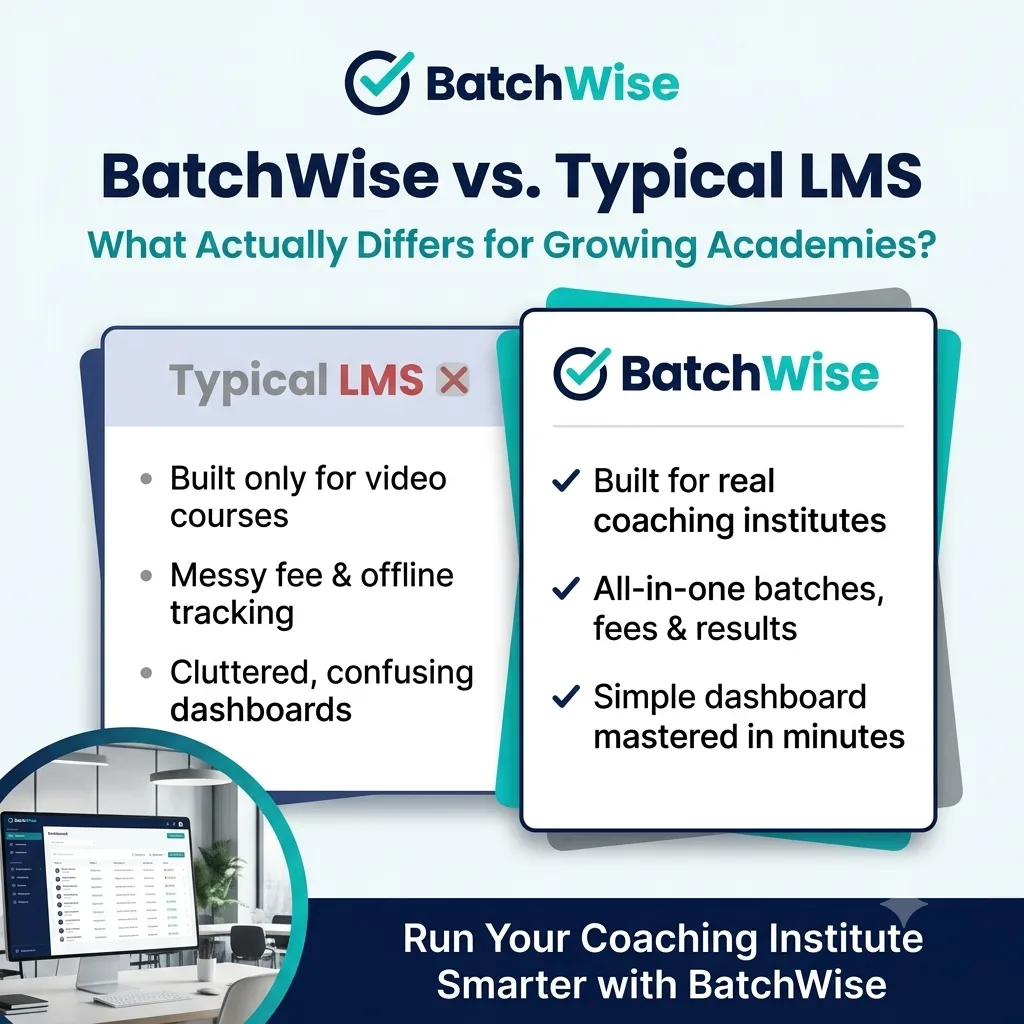
If you are weighing BatchWise against typical coaching LMS platforms and stitched-together tools, the real differences show up in how daily operations are handled.
1. Cohort & Multi-Tutor Operations vs. Solo-Course Layouts
Many standard course platforms assume one instructor uploads videos and sells a static course. Real coaching institutes run batches with schedules, multiple trainers, and co-teaching workflows.
- Typical LMS platforms: Often center on individual courses rather than live cohort batches, or require awkward workarounds when multiple faculty members share teaching responsibilities.
- BatchWise: Built around structured batches and dedicated role dashboards for Admins, Tutors, and Students, making it easier to assign multiple trainers, manage permissions, and keep track of active groups without clutter.
2. Flat Subscription with 0% Platform Fee vs. Revenue Cuts & Add-On Friction
Pricing models across learning platforms vary widely and hidden or percentage-based costs can add up quickly as enrollments grow.
- Typical LMS platforms: Marketplaces and certain creator platforms take a percentage cut per enrollment or lock essential operational tools behind high-tier upgrades.
- BatchWise: Operates on predictable monthly plans with a 0% BatchWise platform commission, routing student tuition collections directly through payment gateways like Razorpay, PhonePe, UPI, Stripe, and PayPal (standard gateway processing fees still apply).
3. Built-In Fee Splits & Receipts vs. End-of-Month Spreadsheet Math
When a program involves an institute share, a lead trainer, and co-tutors, reconciling payouts manually at the end of every month takes time and invites calculation mistakes.
- Typical LMS platforms: Often treat payment collection as a simple checkout step, leaving faculty revenue splits and fee tracking to separate accounting sheets.
- BatchWise: Connects fee collection with faculty revenue-split workflows and receipt generation inside the academy workspace so everyone has visibility into how tuition is distributed.
4. Live Class Sync & Attendance Tracking vs. Manual Roll Calls
Live online classes on Zoom or Google Meet are central to coaching and cohort bootcamps, yet attendance and session follow-ups are frequently tracked by hand.
- Typical LMS platforms: May only paste external meeting links without tying attendance visibility or session workflows back to the batch record.
- BatchWise: Integrates live classes with automated attendance tracking and session records so admins and trainers can monitor participation without manual roll calls.
5. Assessments, Certificates & Brand Presence
Students expect clear milestones structured lessons, timed quizzes or assignments, and shareable credentials under a brand they recognize.
- Typical LMS platforms: Either keep learners inside a generic marketplace brand or charge steep enterprise rates before letting you customize branding and student touchpoints.
- BatchWise: Brings together course content, MCQ assessments, progress tracking, mobile access (Android and iOS), certificates with LinkedIn sync options, and white-label/custom-domain capabilities as your academy scales.
When Typical Platforms Fit Better vs. When BatchWise Makes Sense
- A typical self-paced course tool may be enough if you only sell a single pre-recorded course on your own with no batches, co-teachers, or live cohort tracking.
- BatchWise is a stronger fit if you run live or hybrid batches, work with multiple trainers, need clearer fee-split and attendance workflows, and want to keep a 0% platform commission structure as your student count grows.
Ready to see how batch management, attendance tracking, and fee splits work in practice? Explore BatchWise with a quick demo or start with a free account and test your workflows before scaling up.